
Download Picsman – AI Photo Editing Tool, Background Removal, Batch Edit
Overview
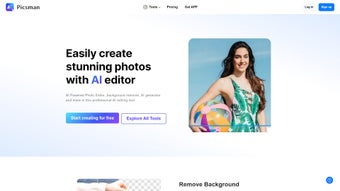
Picsman is a cloud‑based, AI‑driven photo editing platform that removes the technical barriers from image enhancement. Designed with e‑commerce sellers, social‑media creators, and casual photographers in mind, Picsman lets you transform product shots, portrait photos, and marketing graphics in seconds. Its core engine leverages deep‑learning models to identify edges, isolate subjects, and generate realistic backdrops without the need for Photoshop‑level expertise. Whether you need a clean transparent PNG for a catalog, want to erase an unwanted coffee cup from a tabletop scene, or wish to upscale a low‑resolution image to HD quality, Picsman delivers a one‑click solution.
The web app runs entirely in the browser, meaning no bulky downloads or installations are required on a desktop. For users on the move, native mobile apps for iOS and Android bring the same AI toolbox to smartphones and tablets, ensuring that you can edit on‑the‑fly wherever you are. Security is baked in: all uploads are processed over HTTPS, and images are stored temporarily before automatic deletion after the session ends. With a freemium pricing model, you can start editing for free and upgrade to a premium plan for unlimited batch processing, higher resolution exports, and priority support.
Beyond the core editing capabilities, Picsman integrates with popular e‑commerce platforms such as Shopify, WooCommerce, and BigCommerce, allowing seamless import of product images directly from your store inventory. The platform also offers an API for developers who want to embed AI‑powered editing into custom workflows or SaaS products. In short, Picsman combines the power of artificial intelligence with an intuitive UI, making high‑quality photo editing accessible, fast, and affordable for both individuals and businesses.
Key Features That Set Picsman Apart
- Remove Background – Instantly generate a transparent PNG by isolating the subject with pixel‑perfect edge detection.
- Magic Eraser – Select unwanted objects and let the AI fill the gap with context‑aware pixels, eliminating distractions.
- AI Background Generator – Choose from a library of realistic scenes or let the algorithm create a custom backdrop that matches lighting and perspective.
- Batch Edit – Upload up to 100 images at once and apply background removal, scaling, or color correction in a single workflow.
- Photo Enhancer & Upscaler – Boost resolution up to 4× without losing detail, ideal for printing or high‑definition displays.
- Text & Sticker Overlays – Add branding, promotional messages, or decorative elements with full control over fonts, colors, and placement.
- Color Adjustment Suite – Fine‑tune brightness, contrast, saturation, and hue with sliders that update in real time.
- Creative Effects – Apply filters such as vintage, HDR, or artistic sketches to give images a unique look.
- Cross‑Platform Access – Full functionality on Windows, macOS, Linux via any modern browser; dedicated iOS and Android apps provide native performance.
- Secure Cloud Processing – All operations run on encrypted servers; files are deleted after 24 hours to protect privacy.
How the AI Works Behind the Scenes
Picsman’s AI models are built on convolutional neural networks trained on millions of annotated images. When you upload a photo, the system first detects the primary subject using semantic segmentation. This mask is then refined through a second pass that smooths edges and removes background artifacts. For the Magic Eraser, a generative inpainting model predicts plausible textures to fill the void left by the removed object. The AI Background tool utilizes a style‑transfer network that blends your subject with a new scene while preserving lighting consistency.
All these processes happen within seconds thanks to GPU‑accelerated servers located in data centers across North America and Europe. The platform also employs intelligent queuing to prioritize premium users, ensuring that batch jobs are processed without noticeable latency. Because the heavy lifting occurs in the cloud, your local device never bears the computational load, which translates into smoother performance on low‑end laptops and tablets.
Beyond the core features, Picsman continuously learns from user interactions. Each time a user manually refines a mask or adjusts a background, the system captures that feedback to improve future predictions. This active learning loop means the AI gets smarter over time, delivering higher accuracy for niche subjects such as intricate jewelry, reflective surfaces, or fur‑covered animals.
Installation, Usage & Compatibility
Getting Started – No Installation Required
Since Picsman is a web‑based solution, the initial step is simply to navigate to picsman.io using any up‑to‑date browser (Chrome, Edge, Firefox, Safari). The landing page offers a “Start Editing” button that opens the main workspace. For mobile users, download the free Picsman app from the App Store or Google Play. After installing, log in with your email or single‑sign‑on options (Google, Apple). The first‑time user receives a short tutorial that highlights key tools and best practices.
Step‑by‑Step Workflow
- Upload – Drag‑and‑drop images or click the “Upload” icon. Supported formats include JPEG, PNG, WebP, and TIFF.
- Select a Tool – Choose “Remove Background,” “Magic Eraser,” or any other feature from the left‑hand toolbar.
- Adjust Parameters – Fine‑tune edge tolerance, eraser strength, or background style using slider controls.
- Preview & Refine – Real‑time preview lets you see changes instantly; use the “Undo” button to revert any step.
- Export – Click “Download” to save the result as PNG (transparent), JPEG (compressed), or TIFF (lossless). Premium users can select higher DPI for print‑ready files.
System Requirements & Operating Systems
Picsman works on all major operating systems:
- Windows 10/11 – Any recent version of Chrome, Edge, or Firefox.
- macOS 12+ – Safari, Chrome, or Firefox provide full functionality.
- Linux – Chrome or Firefox recommended; GPU acceleration improves processing speed.
- iOS 14+ – Native iPhone and iPad app, optimized for Apple Silicon.
- Android 9+ – Native app with material design UI, supports both phones and tablets.
Because the heavy lifting occurs on the server, even low‑end devices can handle complex edits without lag. A stable internet connection (minimum 5 Mbps) is recommended for batch operations to avoid upload bottlenecks. For users on metered connections, Picsman offers a “Low‑Bandwidth Mode” that reduces image resolution during processing and automatically restores full quality on export.
If you prefer to keep your data within a corporate firewall, Picsman provides an enterprise‑grade on‑premise deployment option. This version mirrors the cloud service’s AI capabilities while allowing the organization to host the processing nodes on private servers, satisfying strict compliance requirements such as GDPR and HIPAA.
Pros, Cons & Frequently Asked Questions
Pros
- Instant AI background removal with high accuracy.
- Batch edit capability saves hours for e‑commerce catalog updates.
- Cross‑platform accessibility – works in browsers and native mobile apps.
- Secure cloud processing and automatic file deletion.
- Free tier available; premium plan adds unlimited exports and priority support.
- API access for developers who want to embed editing into custom workflows.
- Low‑bandwidth mode helps users on slow connections.
- Regular AI model updates improve results over time.
Cons
- Requires an internet connection; offline editing not supported.
- Large batch uploads may be limited by server bandwidth on the free plan.
- Advanced retouching tools (e.g., layer masks) are not as granular as Photoshop.
- Premium pricing may be a barrier for very small freelancers.
- Export options are limited to common raster formats; no native vector support.
Frequently Asked Questions
Is Picsman free to use?
Yes, Picsman offers a free tier that includes basic background removal, Magic Eraser, and up to 10 batch edits per month. Premium subscriptions unlock unlimited processing, higher resolution exports, and priority support.
How secure is my uploaded image?
All uploads are transmitted over HTTPS and processed on encrypted servers. Picsman automatically deletes files after 24 hours, ensuring that your proprietary images are not stored long‑term.
Can I use Picsman on a Mac without installing anything?
Absolutely. The web version runs in any modern browser on macOS, Windows, or Linux. No download or installation is required for the core features.
What image formats does Picsman support for export?
Export options include PNG (transparent), JPEG (adjustable quality), and TIFF (lossless). Premium users can also choose WebP for web‑optimized files.
Is there a limit to the size of images I can upload?
Free accounts are limited to 10 MB per image, while premium users can upload files up to 50 MB. The system automatically compresses larger files to ensure fast processing.
Does Picsman integrate with e‑commerce platforms?
Yes, native plugins are available for Shopify, WooCommerce, and BigCommerce, allowing you to import product images directly, apply batch background removal, and push the edited files back to your store.
Can I automate editing with an API?
Picsman provides a RESTful API that lets developers submit images, choose processing options, and retrieve edited results programmatically. API keys are managed from the user dashboard, and usage is billed per thousand processed images.
Overall Rating: 4.5 / 5
Picsman delivers a powerful AI editing suite that feels both professional and approachable. The speed of background removal and the convenience of batch editing are game‑changers for online retailers. While it lacks some deep‑pixel editing features of desktop suites, its cloud‑first model makes it ideal for anyone who values speed, security, and cross‑device flexibility.
Conclusion & Call to Action
If you’re looking for a fast, secure, and AI‑powered way to polish product photos, remove unwanted elements, or generate eye‑catching backgrounds, Picsman is a solid choice. Its browser‑based interface eliminates the need for heavyweight installations, and the mobile apps keep your workflow uninterrupted on the go. With a generous free tier and affordable premium plans, you can scale your editing needs as your business grows.
The platform’s commitment to privacy, regular AI improvements, and seamless integration with popular e‑commerce ecosystems make it more than just a photo editor—it’s a productivity booster for anyone who sells visual content online. Ready to experience effortless photo editing? Download Picsman now and start transforming your images in seconds.



.png)



